How to transcribe Zoom, Teams and Meet calls on a Mac, without a bot
You don't need an extra participant in the meeting. Your Mac can capture the call and transcribe it by itself.
Why skip the meeting bot
Many meeting assistants work by sending a bot into the call. It takes a seat in the participant list and sends the conversation to a server. Capturing audio on your own Mac avoids both, and it works with any app that plays sound, including Zoom, Teams, Meet and FaceTime.
How to do it
- Install Parlo Notes on a Mac with macOS 15 or later and let the speech model download.
- Choose Microphone + Computer Audio, which records both sides of a call.
- When macOS asks, allow Parlo Notes to capture computer audio. Until you do, it records the microphone only.
- Tell the people on the call that you are recording.
- Start with the waveform icon in the menu bar or with Shift-Command-R, then join your call.
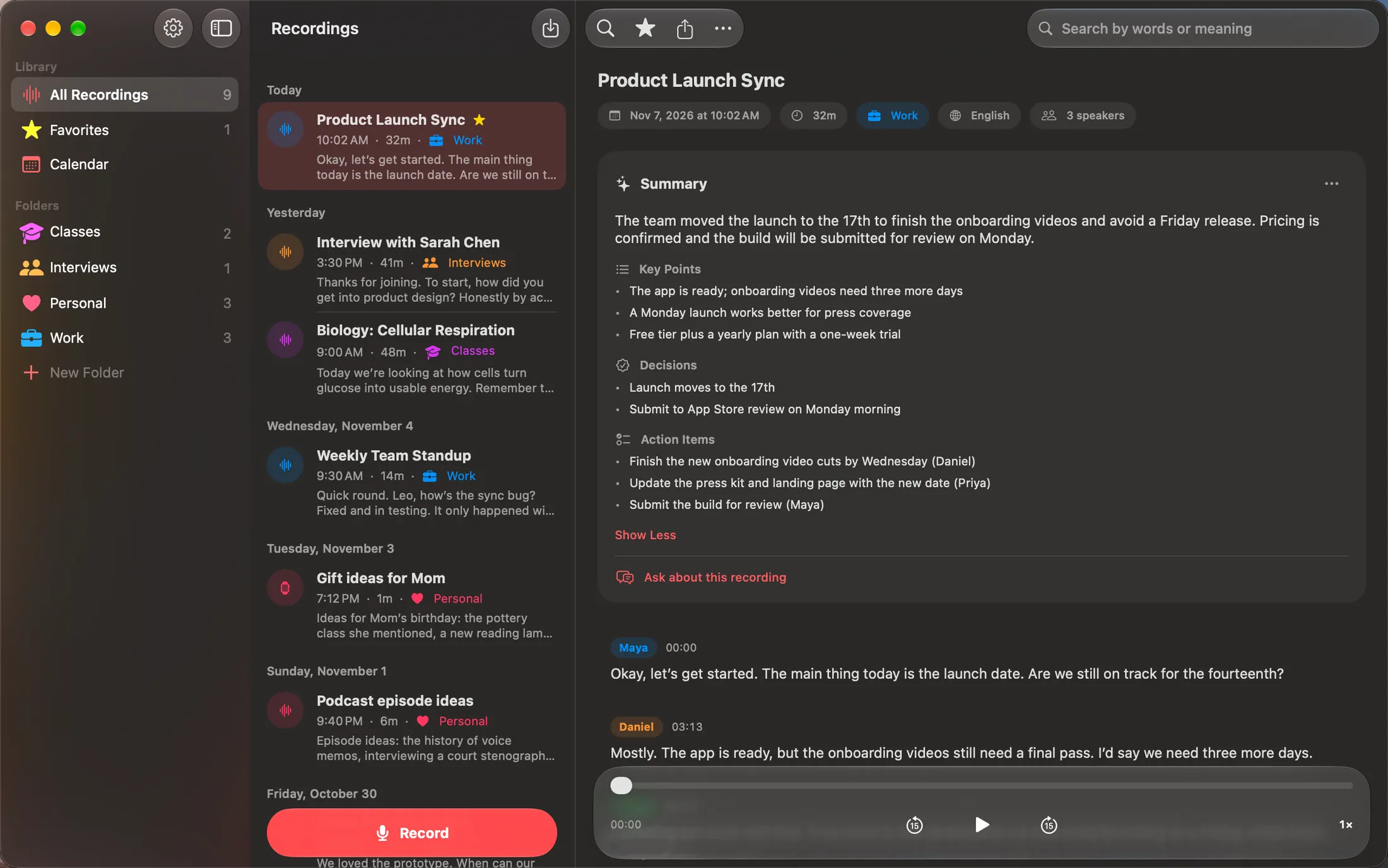
- Stop when the call ends. Parlo Notes transcribes it and identifies the speakers on your Mac.
Tell people you're recording
Because Parlo Notes doesn't join the call, nobody else sees any sign of it. That makes telling them your job. Rules on recording conversations differ between countries and, in the United States, between states. Some require everyone's consent. Ask at the start of the call, and check the rules that apply to you.
What to do with the transcript
- Read a summary with key points, decisions and action items.
- Ask a question and tap the time in the answer to hear that moment.
- Rename a speaker once and every line follows.
- Share it as text, subtitles (SRT), PDF or Markdown.
Two limits to know
- Recording with computer audio can't be paused. Pausing is available when recording the microphone only.
- Capturing computer audio is a Mac feature. iPhone and iPad record through the microphone.
Common questions
Does it work with apps other than Zoom?
Yes. It records what your Mac plays, so it isn't tied to one meeting app.
Does the audio leave my Mac?
No. It is transcribed on the Mac. If you turn on iCloud sync, your library is kept in your private iCloud.
What happens if computer audio stops mid-call?
Parlo Notes keeps recording the microphone and tells you when computer audio stopped.